How to Build a Monthly Webinar Programme People Actually Return To
Give your audience a reason to return each month. Learn how to build a webinar programme with clear topics, engaging conversations and useful follow-ups that make every session easier to run and worth attending.
Louise
September 1, 2026
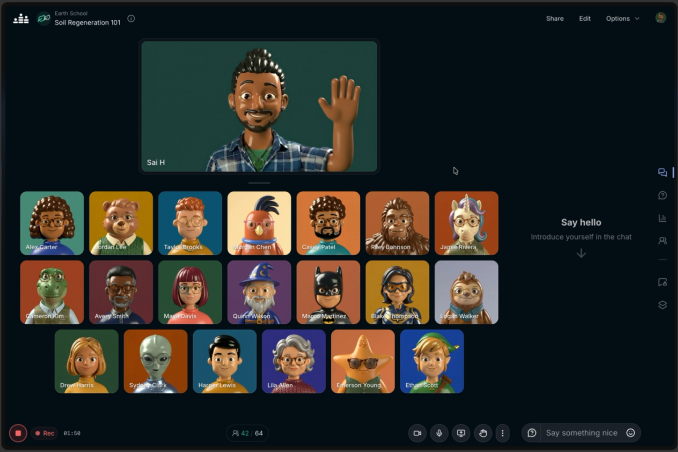
A successful webinar programme is more than regular dates in a calendar. Here’s how to give people a reason to come back, make each event easier to run, get the conversations you need, and learn what your audience needs next.
The first webinar often gets all the attention. You choose a topic, find a speaker (or do a product demo by yourself!), promote the event and hope people turn up. Then, once it’s over, you start the whole process again.
If you’re running webinars every month, that can become exhausting. It can also feel a little disjointed to your audience. One month is a product demo, the next is a panel discussion, and nobody is quite sure what to expect from you.
A regular programme works best when people understand what they’ll get from it and why it’s worth making time for the next one.
Start with the audience’s recurring questions
You don’t need twelve brilliant new ideas before you launch. Start with the questions that come up repeatedly in sales calls, support conversations, community discussions or training sessions.
Could you explain a tricky topic? Show people how to do something? Give them access to an expert? Bring them together to compare experiences?
Try grouping those questions into three or four themes. A software company might alternate between getting started, improving an existing workflow and what’s new. An association could combine practical training with member discussions and updates on issues affecting its sector.
This gives the programme some shape without making every event identical.
Give each session one job
It’s tempting to squeeze everything into 40 minutes. A webinar that promises an industry update, a product tour, three guest speakers and a lengthy Q&A will be rushed.
Decide what one thing an attendee should be able to do or understand afterwards. Then build around that. If the goal is to help customers use a feature, show the feature in a real situation and leave time for questions. If you want to hear from your community, let the discussion take centre stage.
The format can change from month to month, but the promise should be clear in the event title and description.
Make it easy to come back
Consistency helps. A familiar day or time, a recognisable event name and a clear place to find upcoming sessions all make your events easier to remember.
You also need to decide how people should register. If the sessions form one connected course or series, a multi-session event lets attendees register once for the whole programme. Each session can still have its own date, chat, Q&A, replay and analytics. People can register right at the start of the series or join halfway through. If every webinar serves a different audience or has a different purpose, separate events may make more sense.
Whichever approach you choose, tell people what’s coming next before the current session ends. “We’ll be back next month” is less useful than a specific invitation to the next topic.
Think beyond the live session
A good experience starts when someone registers. Tell them what to expect, whether they need to bring anything and how to join. If it’s a workshop, a short preparation note can make the live session much more useful. On Crowdcast you can email attendees directly from within the event.
During the event, give people a way to take part. Ask an opening question in the chat, use a poll to find out where they are starting from, and leave proper time for Q&A. You don’t have to use every interactive feature in every webinar. Choose the ones that help this particular conversation.
Afterwards, remind your attendees where they can watch the replay—on Crowdcast this is right at the same link they used to register for the event. Follow up with the resource you promised and a useful next step. That might be a related article, the next event in the series, or a chance to talk to your team.
You can create Clips from eligible public event replays to share the “best bits”. If you enabled live captions, you can also download the captions as an SRT file and use the text as a starting point for a blog post or a teaser for the next session.
Don’t forget the call to action
Yes, you want people to get value from your content, but you probably also want them to take action. You can include a CTA right in your event. This could link directly to your website, a downloadable resource or a page where attendees can book a call with your team.
Review the programme, not just one webinar
A single event can have an unusually busy week working against it. Look at the pattern across several sessions: which topics get registrations, which bring people back live, what they ask, and whether they watch the replay. Crowdcast’s event analytics can help you understand registrations, live attendance, engagement and replay views.
Those questions are often more valuable than a headline registration number. If the same issue comes up in every Q&A, it could become your next webinar. If people leave at the same point each session, it might be time to shorten the presentation and make room for discussion.
The aim isn’t to fill a calendar. It’s to create something useful enough that, when your next invitation arrives, people already know why they’d want to be there.
Louise
Head of Customer Success. Helping customers grow their audience with live events using Crowdcast's simple live video software to help them reach, engage, and grow their audience.